Some things you can control. Some you can influence. Most, you can only worry about.
CircleMind is a private notebook for a mind that won't switch off. Write down what's on it, sort each thought into its circle, and spend your energy where it changes something.
iPhone and iPad · iOS 26 · Free to download
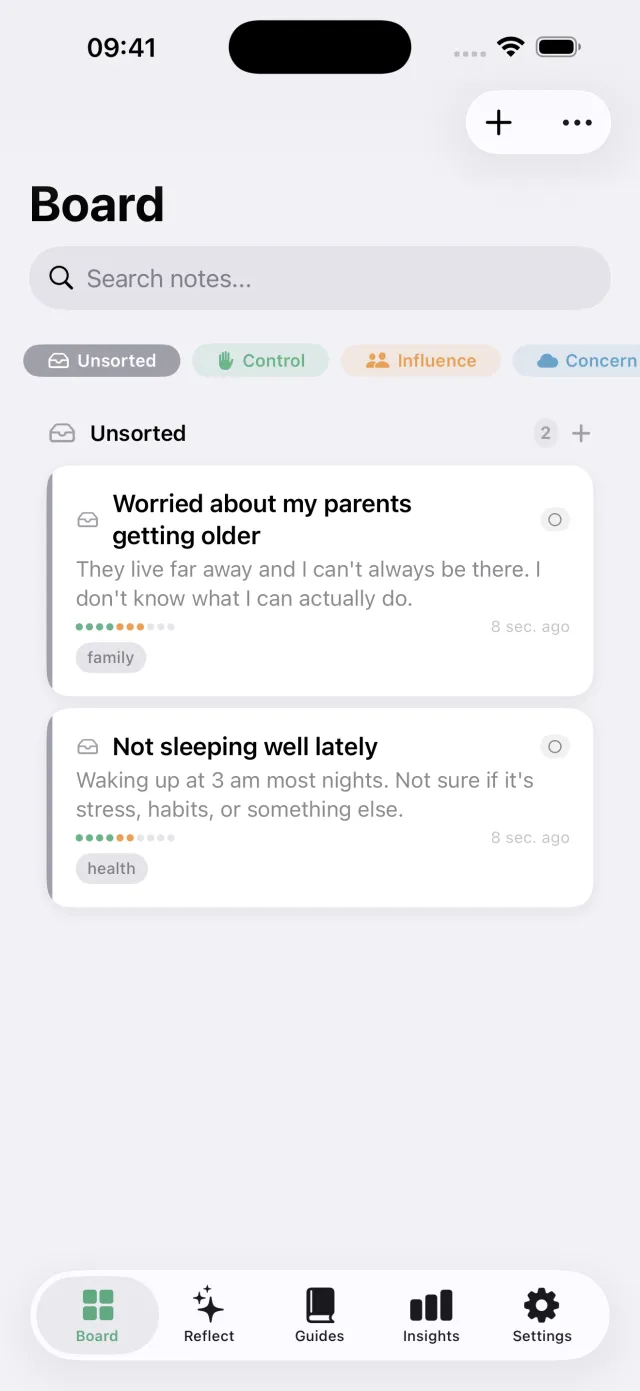
Empty your head. Then sort it.
This is the whole method, and you can try it right here. Tap a line, answer two honest questions, and see where it lands. You decide; the app never sorts for you.
Tap a line to sort it
Circle of Control
Everything that depends directly and entirely on you: your choices, actions, words, and responses. You are the sole author of what goes here.
Circle of Influence
Things you cannot fully control, but where your actions or words can make a real difference. You can shift the outcome, even if you cannot guarantee it.
Circle of Concern
Everything that matters to you but lies beyond your direct control or influence. Worrying about it does not change it. Acknowledging this is wisdom, not defeat.
A worry you can't control, turned into steps you can.
Open a note in your Circle of Concern and tap “Reframe this”. Your iPhone reads it, offers a different angle, and proposes small steps that file themselves into your Circle of Control.
Written on your device. This note never left your phone.
Runs on Apple Intelligence (iPhone or iPad that supports it, iOS 26). Three reframes a week are free.
The company might restructure
A different angle
What is yours to act on
- Update your CV this week.→ Control
- Reach out to two people in your network.→ Control
- Set aside one month of expenses.→ Control
Everything a racing mind needs. Nothing it doesn't.
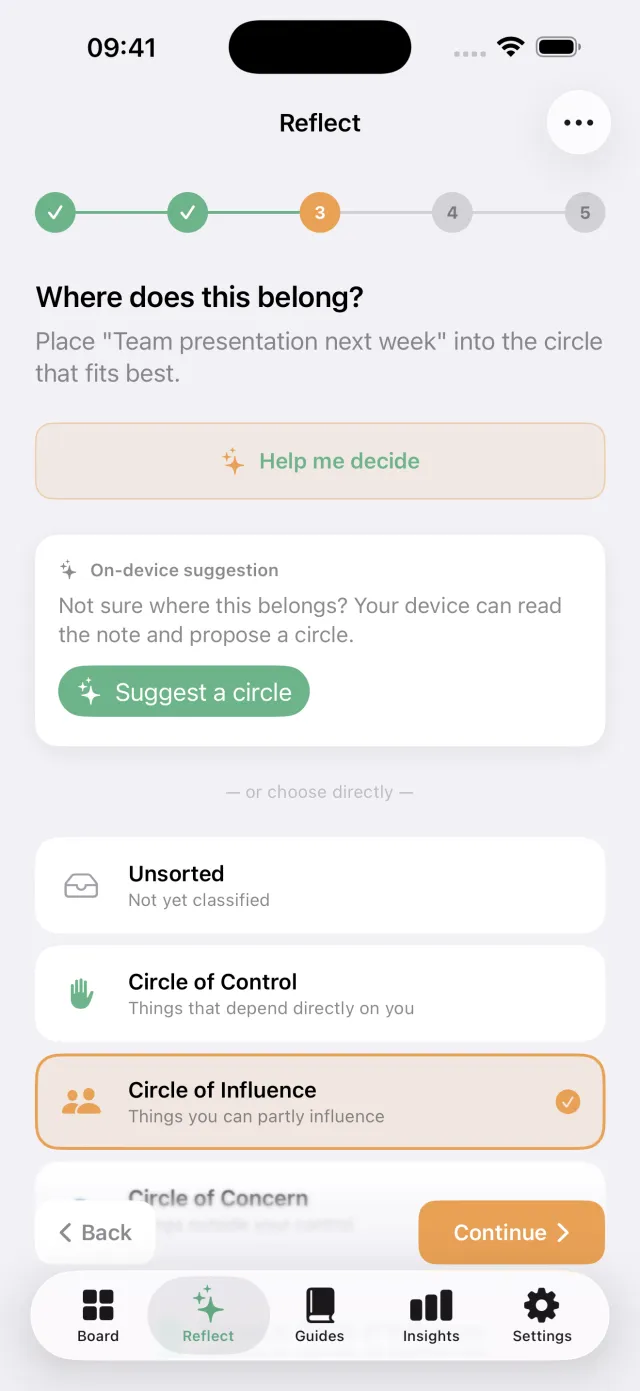
Guided Reflect
A 5-step flow that takes one worry from "this is on my mind" to "here is the one thing I will do". At the classify step, your device can suggest a circle, you decide.
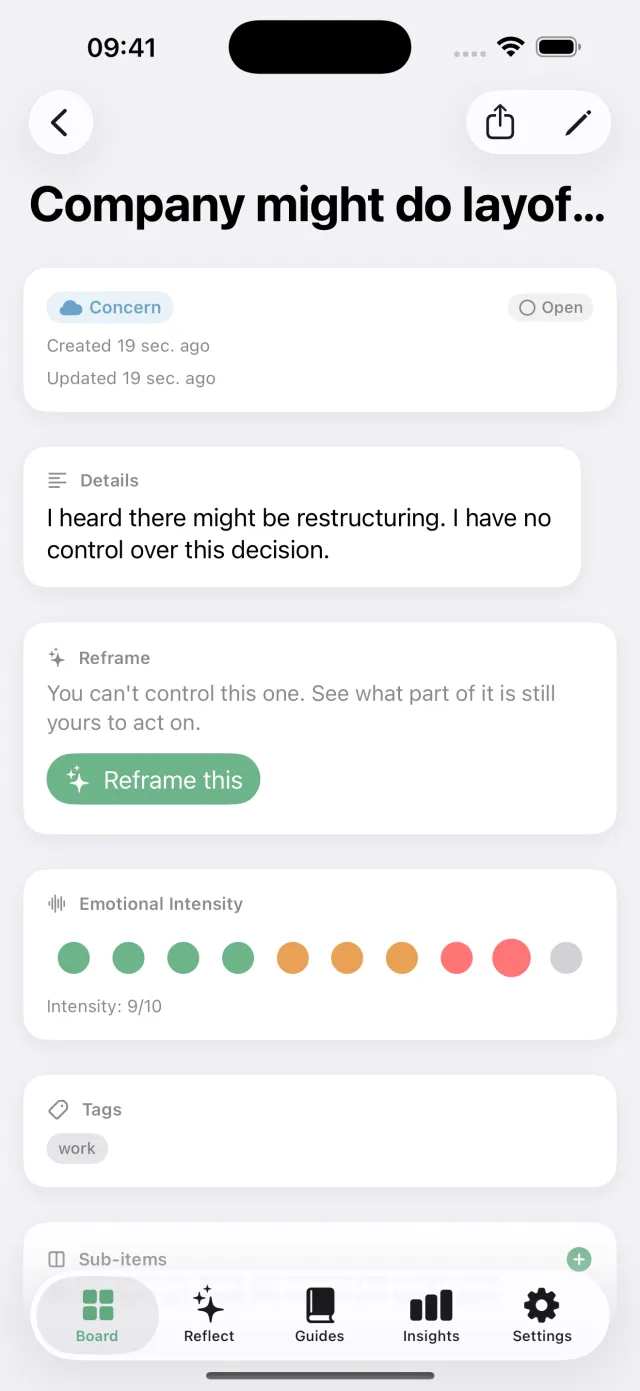
On-device AI
Reframe a worry you cannot control, have a circle suggested, have your week read back to you. It runs on Apple Intelligence, on your iPhone: your notes never leave it.
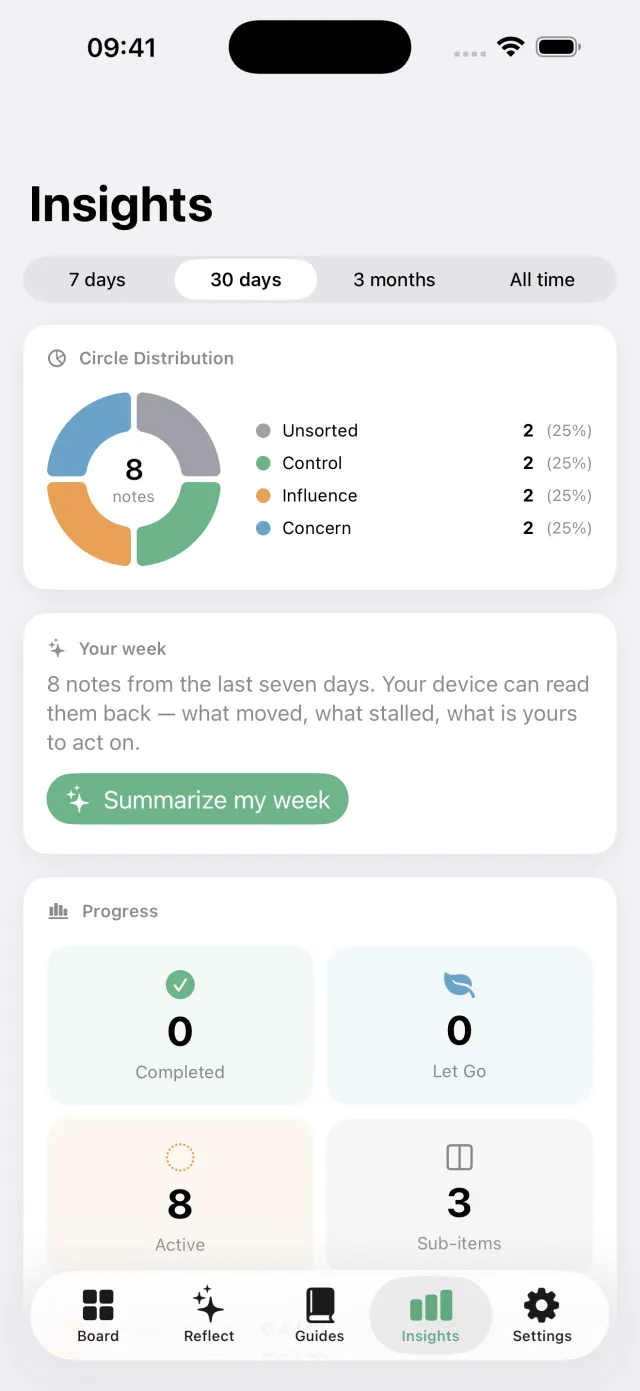
Insights
Distribution donut, weekly trends, intensity by circle, and a weekly summary your device writes from the week you actually had.
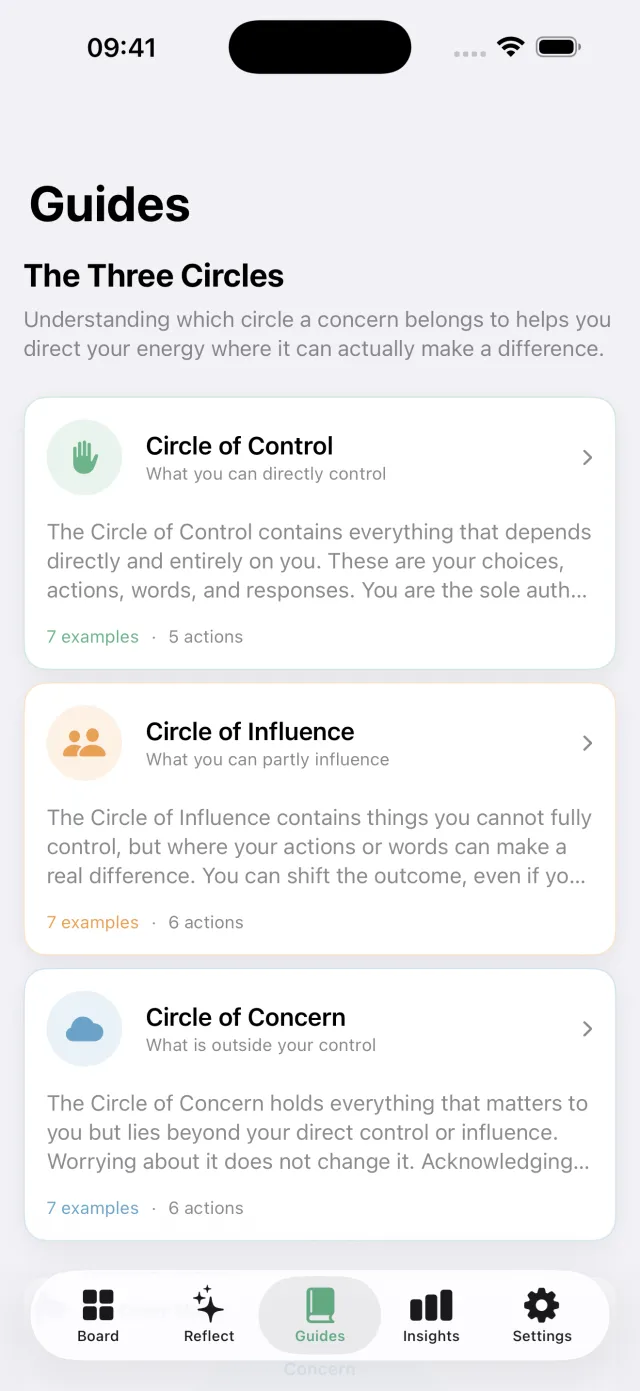
Circle Guides
Educational playbooks for each circle: examples, suggested actions, affirmations, and the psychology behind the Covey model.
Also in the notebook
- A Home Screen widget with your board at a glance
- Siri and Shortcuts: add a worry without opening the app
- iCloud sync between iPhone and iPad, free
- A full canvas on iPad
- Gentle reminders, scheduled on your device
- Export everything to a file, anytime
Start free. Go Pro when the page fills up.
CircleMind Pro
€34.99a year
One week free, then less than €3 a month
or €4.99 a month, no trial
- Unlimited notes and reflections
- Unlimited reframing
- The weekly summary, written by your device
- Full Insights: trends, intensity, done and let go
- All three circle guides
Free
€0forever
- 10 notes
- One guided reflection a week
- Three AI reframes a week
- The Circle of Control guide
- Your distribution chart
- iCloud sync
Prices for France, VAT included. The App Store shows the price for your country. Cancel anytime in Settings.
Your data.
Your device.
No account. No server. No analytics. The only copy of your worries is yours.
Last updated: July 2026
Your data stays on your device
CircleMind stores all your notes and reflection sessions locally using Apple's SwiftData framework. Nothing is sent to our servers, because we don't have any.
On-device AI
Reframing, the circle suggestion and the weekly summary run on Apple's Foundation Models, on your device. Your notes are never sent to a server: not to ours, and not to Apple's Private Cloud Compute. It is the only way the feature works.
iCloud sync (optional)
When iCloud sync is enabled, your data is stored in your private iCloud container. Only you can access it. Apple's privacy policy governs iCloud storage.
No analytics or tracking
CircleMind contains no analytics SDKs, no advertising, no fingerprinting, and no tracking of any kind. We do not know how you use the app.
Notifications
Reflection reminders are scheduled locally on your device using iOS notifications. No notification data leaves your device.
Purchases
In-app purchases are handled entirely by Apple's App Store. We do not receive or store your payment information.
Contact
Questions about privacy? Reach us at contact@nativlab.app
Need a hand?
The questions we are asked most. If yours is not here, write to us: a person reads every message.
Do I need an account?
No. There is no sign-up, no login, and no server holding your notes.
Which devices support the AI features?
An iPhone or iPad that supports Apple Intelligence, running iOS 26 or later, with Apple Intelligence turned on in Settings. On any other device the AI features are simply hidden, and the rest of the app works exactly as it does everywhere else.
Where do I find the AI features?
Reframing: open a note in the Circle of Concern, then tap "Reframe this": three a week are free. Circle suggestion: the Reflect tab, at the classify step (Pro). Weekly summary: the Insights tab, "Your week" (Pro).
What is free, and what is Pro?
Free: 10 notes, one guided reflection a week, three AI reframes a week, the Circle of Control guide, your distribution chart, and iCloud sync. Pro: unlimited notes and reflections, unlimited reframing, the weekly summary, full Insights, and all three guides.
How do I manage, cancel, or restore my subscription?
Subscriptions are handled by Apple: open Settings, tap your name, then Subscriptions. To restore a purchase on a new device, open CircleMind → Settings → Restore Purchases.
How do I export or delete my data?
CircleMind → Settings → Export writes your notes to a JSON file. Deleting the app removes everything stored on the device; if iCloud sync is on, remove the CircleMind data from Settings → your name → iCloud.
If things feel heavy
CircleMind is a thinking tool. It is not therapy, not a health app, and not a substitute for a professional. If what you are carrying feels like too much, please talk to someone: the app points you to a real helpline for your region, and in an emergency, call your local emergency number.
Contact
Write to contact@nativlab.app. We read every message, and answer in English or French.
Put down what isn't yours to carry.
CircleMind, a thinking tool for iPhone and iPad.
CircleMind is a thinking tool, not therapy or a medical app.